

Web Push Notifications
 Introduction
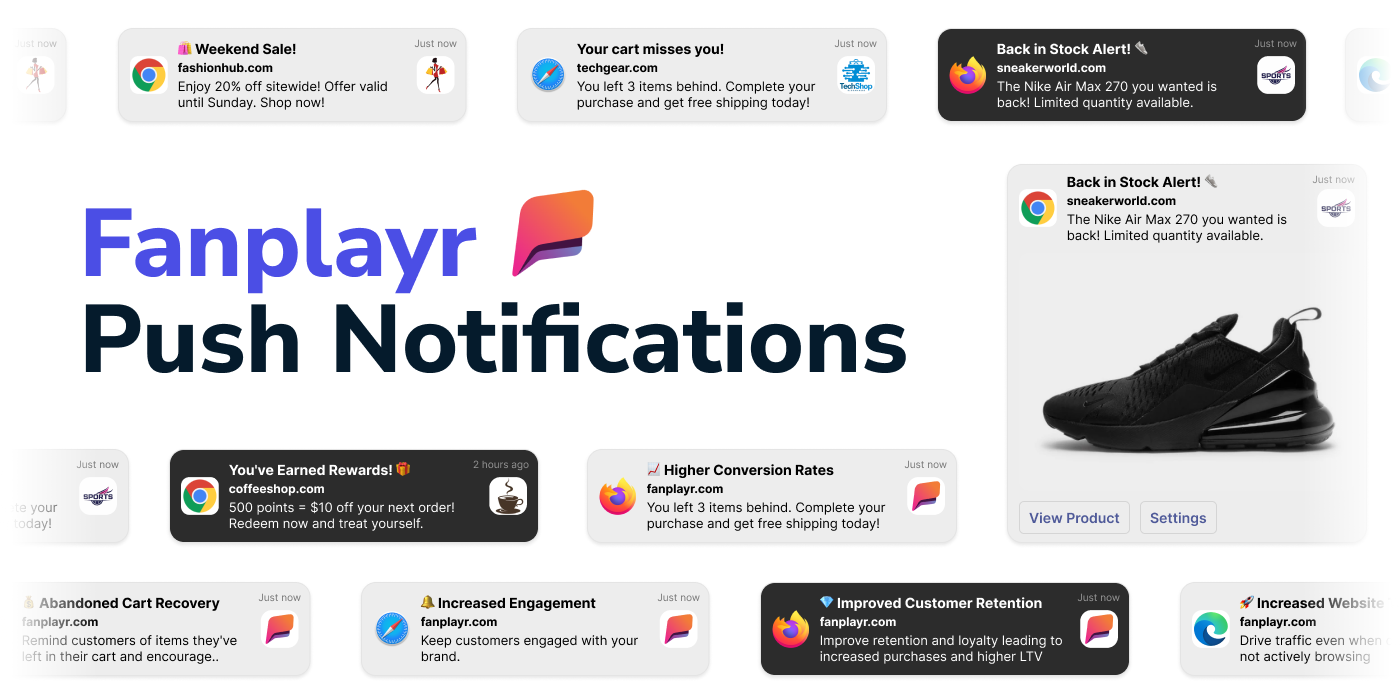
Web push notifications are actionable messages that appear on a user's desktop or mobile device, triggered by the website they have subscribed to, regardless of whether or not the user is currently browsing the site. These notifications allow businesses to send real-time messages to users, which can include promotions, new updates, and reminders.
Notifications are delivered through a service worker – a lightweight JavaScript file that runs in the background, separate from your web pages.
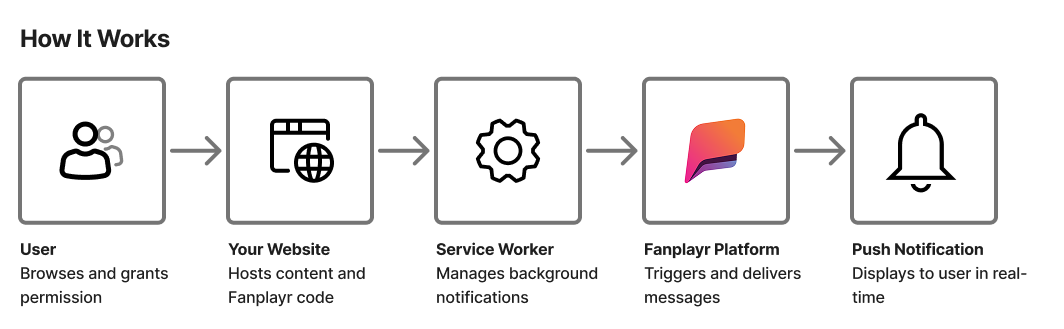 Flow diagram of how it works.
Integration Guide
Fanplayr's web push feature requires installation of our service worker script on your website. For the purpose of the this guide we'll refer to this script as FanplayrWorker.js, however you can rename this file if needed.
1. Download the service worker script
Download Fanplayr's service worker JavaScript file so you can upload it to your website.
(You'll need to unzip it after downloadin to access the JavaScript file within.)
2. Upload to your site
If you're integrating for the first time our recommendations are to:
Upload the
FanplayrWorker.jsfile in subdirectory path on your website that you will never link users to such ashttps://yoursite.com/push/fanplayr/FanplayrWorker.js.You can place this file in the root of you website, but it may conflict with other Service Workers you have now or may add in the future.
Upload the script to a permanent location that will never change.
All of the subscriptions are bound to the service worker so it is important that this file location remains the same.
Be sure that your webserver serves this file with the
Content-Type: text/javascript; charset=utf-8header. This is often done automatically, but is worth double-checking if you encounter issues later.
3. Register the service worker on all pages
The service worker needs to be registered on all pages of your website that users can visit. This allows it to run in the background and manage notifications. The easiest way to do this is by including the following HTML snippet on all pages your users visit:
<script
  src="https://static.fanplayr.com/client/sw-load.js"
  data-path="https://yoursite.com/push/fanplayr/FanplayrWorker.js"
  data-version="2"
></script>
Note: Be sure to update the data-path attribute with the correct URL of the service worker file you uploaded in the previous step.
Manually registering the service worker
If you prefer to manually register the service worker instead of using the sw-load.js script above then you will need to do so with JavaScript such as the following:
<!-- Include before standard Fanplayr tracking code -->
<script>
  if ('serviceWorker' in navigator) {
    navigator.serviceWorker
      // Update with location of service worker:
      .register('https://yoursite.com/push/fanplayr/FanplayrWorker.js')
      .then(function (registration) {
        window.fanplayrServiceWorker = {
          scope: registration.scope
        };
      });
  }
</script>
Other Resources
Benefits & Use Cases
Web push notifications are a powerful tool for e-commerce businesses looking to increase engagement, conversions, and customer loyalty. They can be combined with other Fanplayr features and services to provide key benefits:
- Increased engagement: Web push notifications are a great way to keep customers engaged with your brand. By sending personalized and timely notifications, you can encourage customers to visit your website and make a purchase.
- Higher conversion rates: Web push notifications have been shown to have higher click-through and conversion rates compared to other marketing channels such as email. This is because push notifications are delivered in real-time and are difficult to ignore.
- Abandoned cart recovery: Web push notifications can be used to remind customers of items they left in their cart and encourage them to complete the purchase. This can be particularly effective when combined with a discount or other incentive.
- Improved customer retention: By sending relevant and personalized notifications, you can improve customer retention and loyalty. This can lead to repeat purchases and increased customer lifetime value.
- Increased website traffic: Web push notifications can be used to drive website traffic, even when customers are not actively browsing your website. This can be particularly useful for promoting new products or seasonal sales.
Technology Details
Web push notifications are a type of messaging technology that allows websites to send notifications to users' devices, even when the users are not actively browsing the website. The technology behind web push notifications involves several different components:
Push notification service: A push notification service is a server that manages the sending and receiving of push notifications. The service handles the communication between the website and the user's device.
Service worker: A service worker is a JavaScript file that runs in the background of a website and handles push notifications. It is responsible for intercepting push notifications, displaying them to the user, and handling user interactions with the notifications.
Push API: The Push API is a web API that allows websites to send push notifications to users' devices. It provides a way for the website to register a service worker, subscribe to push notifications, and send push messages.
Web browser: Web push notifications require a web browser that supports push notifications. Most modern web browsers, including Chrome, Firefox, Edge and Safari, support web push notifications.
Device operating system: Push notifications require the user's device to be connected to the internet and to have a compatible operating system. Most modern mobile and desktop operating systems, including iOS and Android, support push notifications.
Web push subscription: A web push subscription is a permission given by a website user to receive notifications from a website on their device. Subscriptions are created using a set of public and private VAPID keys so that notifications can only be sent securely from the push notification service that has the keys.
When integrating web push notifications, Fanplayr will take on the role of the push notification service and you will need to include part of our service worker logic into your website using one of the integration methods described below.
Limitations
Supported by modern web browsers and operating systems which implement the Push API.
| Device | Browser | Support |
|---|---|---|
| Desktop | Chrome | v42+ |
| Desktop | Microsoft Edge | v17+ Note: Edge often hides notification requests behind a small "bell" icon (🕭) in the URL bar, making it harder for users to notice the request. |
| Desktop | Firefox | v44+ |
| Desktop | Opera | v29+ |
| Desktop | Safari | v16+ on macOS Ventura or later |
| Mobile | Chrome Android | v42+ |
| Mobile | Firefox for Android | v48+ |
| Mobile | Opera for Android | v29+ |
| Mobile | Safari on iOS | Not supported |
INFO
When using a Fanplayr widget to prompt users to subscribe you should make use of the "Can Subscribe to Web Push Notifications" segmentation filter to ensure that only users who currently do not have a subscription and have a supported web browser are targeted with the widget.